How to Restore Water-Damaged Photos | PhotoHeirloom
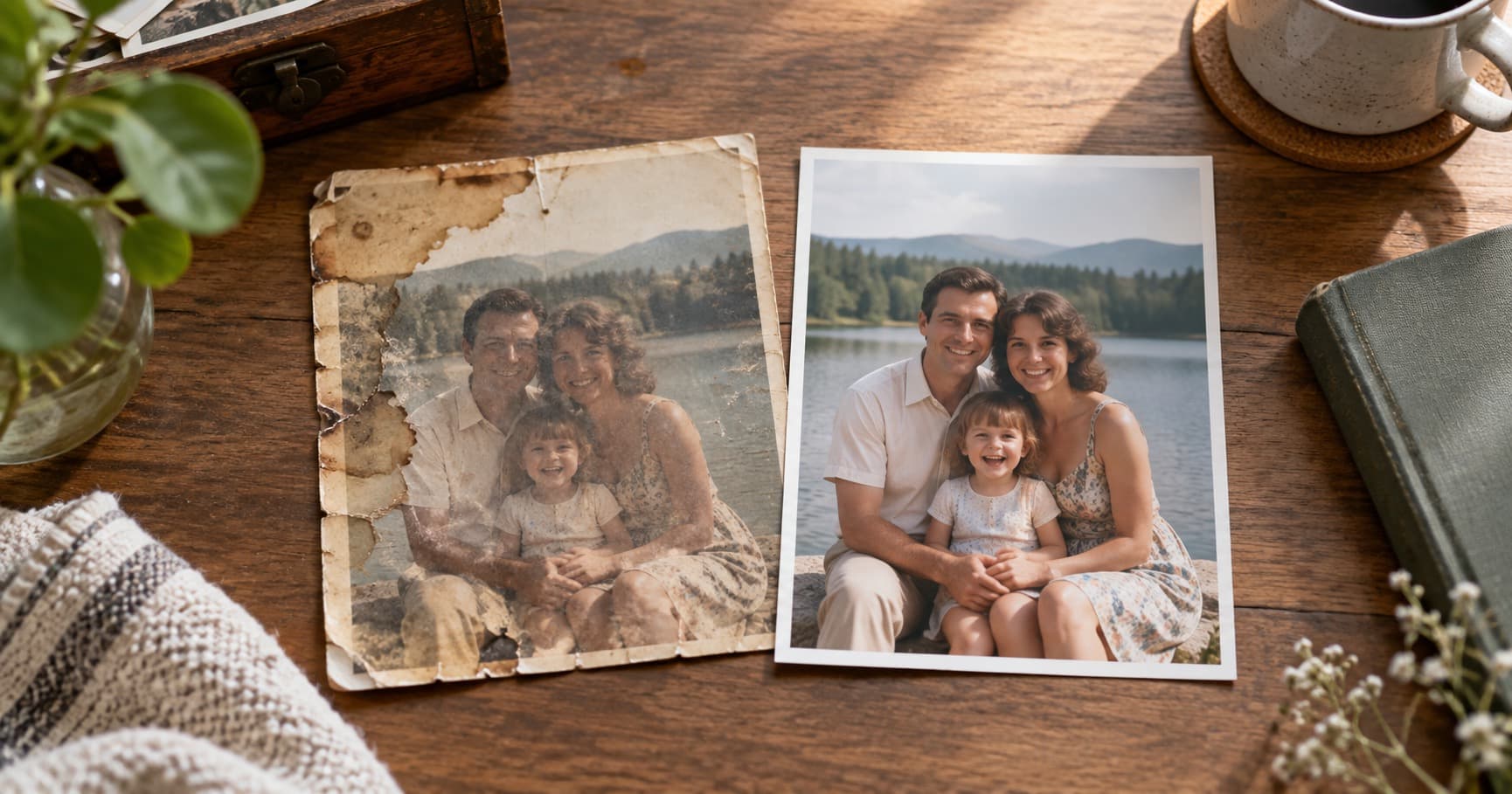
A burst pipe, a damp basement, or one leaking frame can change a family photograph in a single night. The good news is that water damage does not always mean the memory is gone. The safest response is to slow down, protect the original, and make a digital copy before you try to improve it.
Start With the Original Photo
If the photo is still wet, handle it by the edges. Do not rub the surface, wipe it with a towel, or pull apart prints that are stuck together. Those actions can lift the image layer from the paper.
Move the photo to a cool, clean place with moving air. Lay single prints flat on a clean, non-absorbent surface or hang them from the edge with a plastic clip. Keep them away from direct sun, hair dryers, radiators, and ovens. Heat can make curling and staining worse.
If several prints are stuck together, do not force them apart. A photo conservator is the safest choice for valuable originals. For ordinary prints, a careful rinse with clean, cool water can sometimes release the bond, but stop if the surface begins to lift.
What Water Damage Usually Looks Like
Water can leave brown tide marks, cloudy areas, curled edges, faded color, and bleeding ink. It can also make a print look darker than it was before. Mold is a separate risk. If you see mold or smell a strong musty odor, isolate the photo and wear gloves before handling it.
Some damage is physical and some is visual. A crease may remain in the paper but disappear from the digital copy. A color shift may be corrected even when the original print cannot be made bright again. That is why a careful scan or phone photograph is the next important step.
Make a Digital Copy Before Restoration
Photograph the print in even, indirect light. Keep the camera parallel to the photo, avoid flash, and leave a little space around the edges. If the print is flat enough, a flatbed scanner can capture more consistent detail. Save the first file as your untouched original copy.
Take a second close-up of any unusual damage. The extra image can help you remember the original condition and compare the restoration later. Store both files in two places, such as a computer and a private online album.
Restore the Digital Copy, Not the Physical Print
Once the image is digitized, you can repair stains, fading, scratches, and lost contrast without risking the only physical original. PhotoHeirloom can help restore and colorize the digital copy, then keep the result in an organized private album for the family.
AI restoration cannot know every missing detail with certainty. Review faces, text, and important objects before you share the result. Keep the untouched scan beside the restored version so the family can see what changed.
When to Ask a Conservator
Use a professional conservator when the photo is unique, stuck to glass or another print, covered in active mold, or badly torn. A digital service is useful after you have a safe image file. It should not replace careful handling of a fragile original.
Water damage is frightening because it feels sudden and permanent. Start with one photograph. Protect it, copy it, and restore the copy. You may recover far more than you expect.